Set up while parked
Install VargGPS.
The download should start on its own. If it does not, tap Download.
You do not need a cable, and you do not need any developer settings.
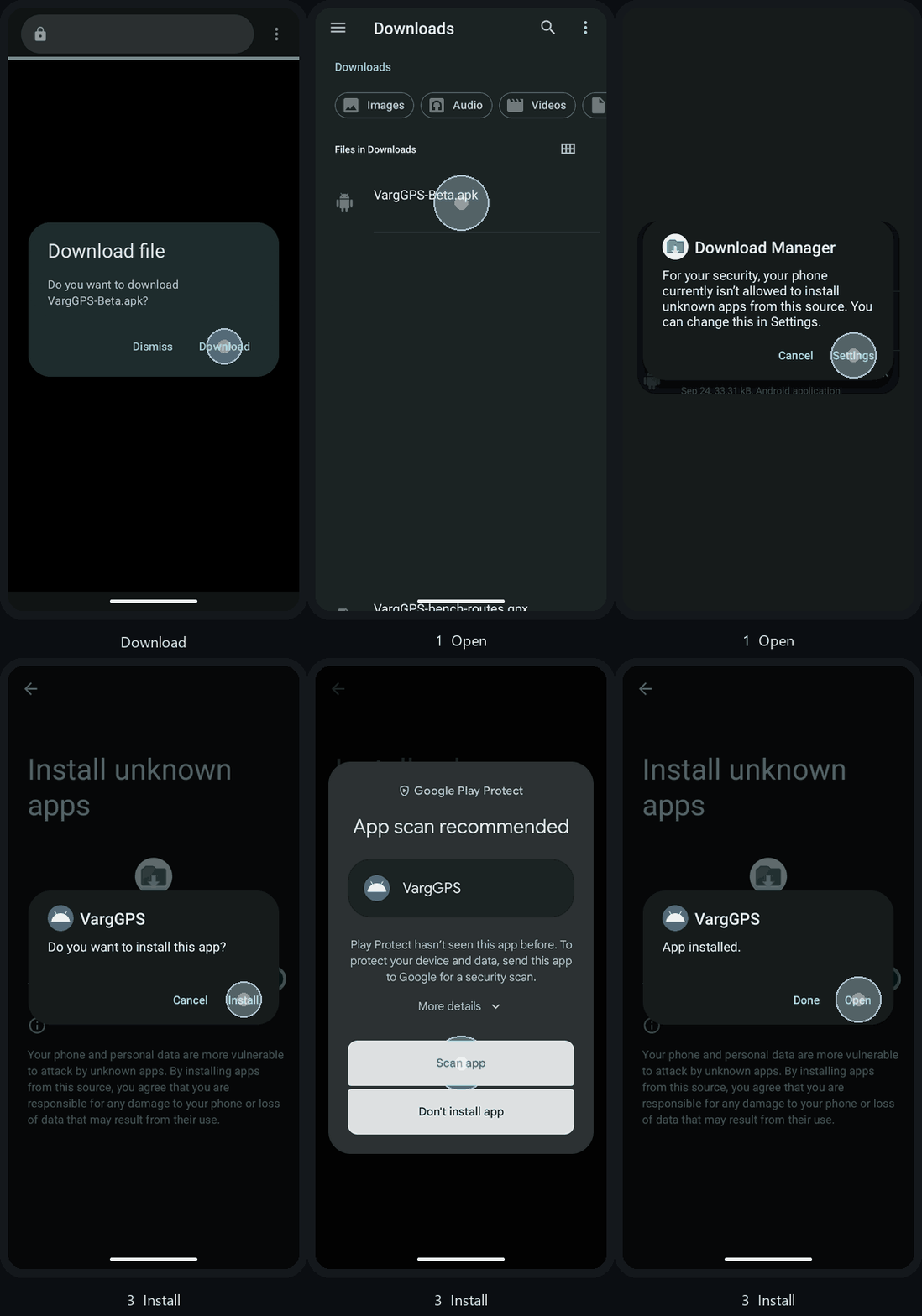
Install, then set up.
Open the file
Tap Open when the download finishes.
Allow the install
If Android says unknown apps are not allowed, tap Settings, turn on Allow from this source, then go back.
On a wide screen, you may need to scroll to see the switch.
Install, then open
Tap Install, then Open. While connected and parked, accept the agreement and data notice and sign in with Google. Follow the setup prompts; the app prepares its files and area map automatically. After activation and setup, downloaded maps and local riding features work offline.
Can't find the file? Open Downloads and tap the VargGPS file.
More install help