Share the ride
Ride with friends.
Share a code. See your group on the map. No account needed.
Everyone needs the same group code and a signal. Use beta 26111405 or newer from the home page. Only people with the invite can read your shared position.
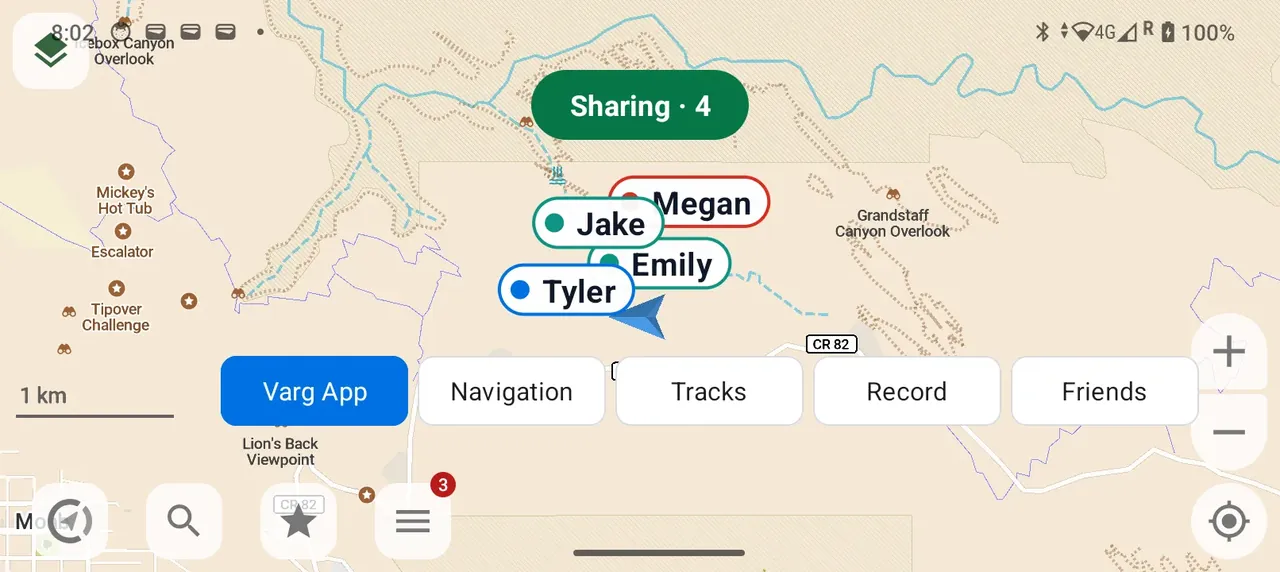
Start a group
- Tap Friends on the map.
- Type the name you want friends to see.
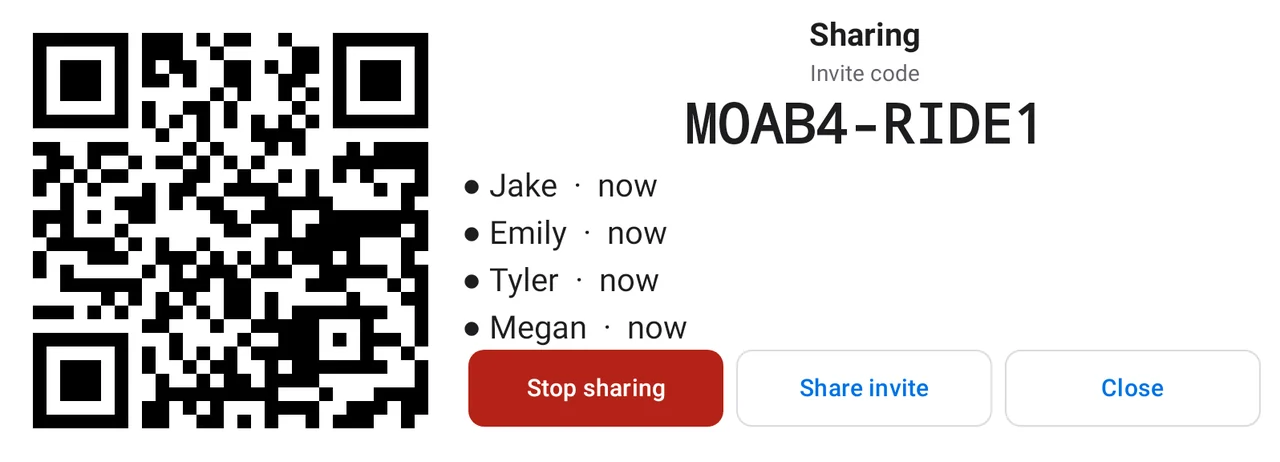
- Tap Start new group. You will see a square code and an invite code.
- When Android asks for location, tap While using the app.
- If Android asks about notifications, tap Allow for a quick Stop button. Sharing also works if you say no.
Invite a friend
Choose one way:
- Ask them to scan the square with their phone camera. There is no scanner inside VargGPS.
- Give them your code. They tap Friends, then Join with a code.
- Tap Share invite to send the code and a link.
Use the real code on your screen. Dashes and capital letters do not matter.
Join a group
- Open the invite link or scan the square.
- Tap Open in VargGPS. The app asks Join group …?
- Enter your name if the box is empty.
- Tap Join and share. A green Sharing chip appears on the map.
Opening a link does not start sharing. You choose when to share.
Use the same group next time
- Tap Friends.
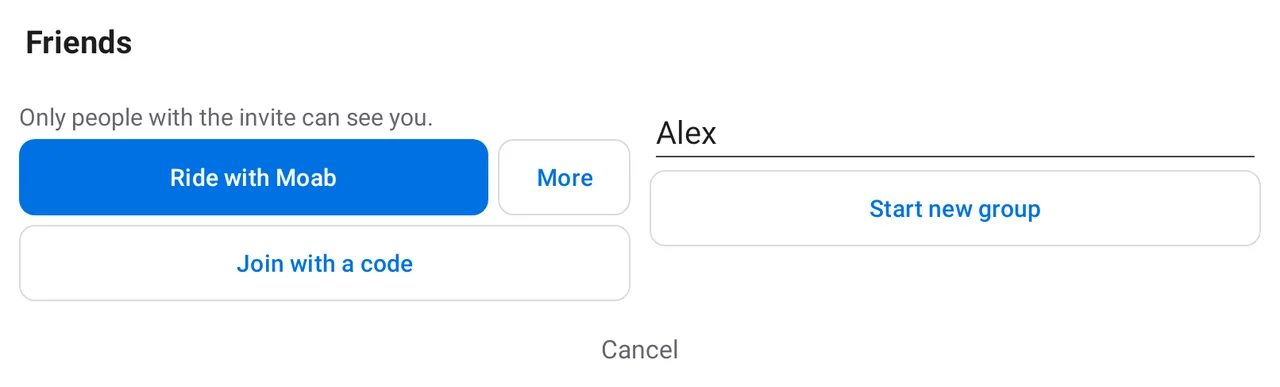
- Tap your saved group, such as Ride with Moab.
The phone saves up to 10 groups, newest first. Each group can have 10 riders.
Change a saved group
Tap More beside the group:
- Rename, then Save, changes its name on this phone only.
- Share invite shows the square and code again.
- Remove from this phone deletes the saved code here and stops sharing that group.
A long list scrolls. Start new group, Join with a code and Cancel stay in reach.
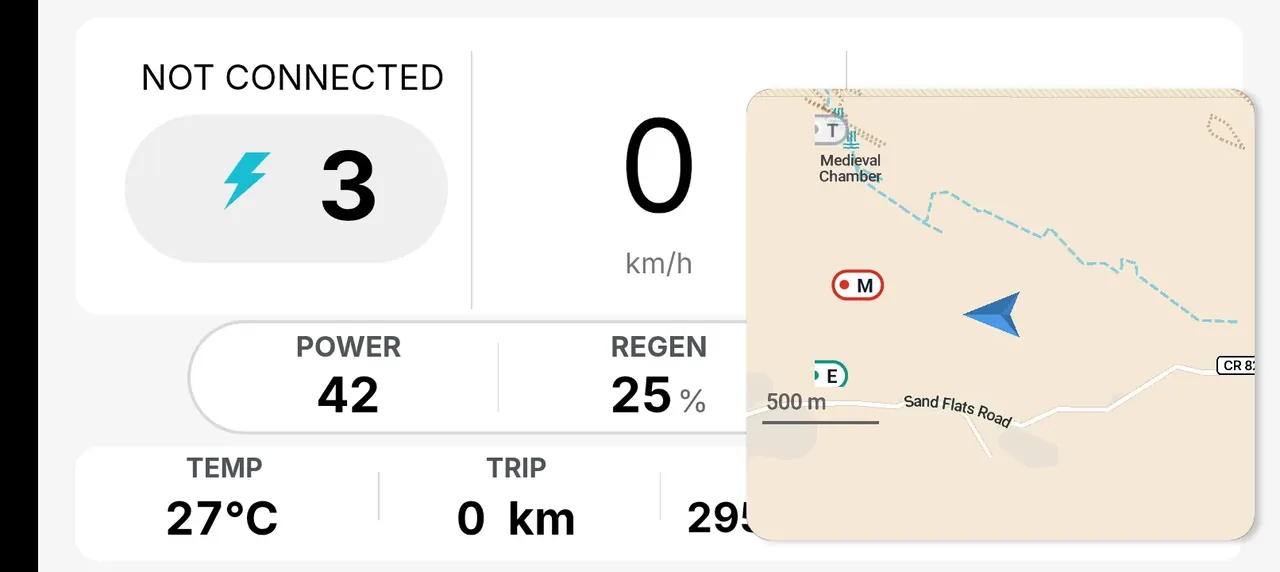
Keep friends beside the dashboard
Stop sharing
Tap Stop sharing in the app, or Stop on the notification. The green chip goes away. Friends stop seeing you. Your group stays saved.
Sharing also stops after 4 hours.
What stays on your phone
The phone saves the invite code, group name and your display name. While sharing, the service keeps only your latest locked position for up to 15 minutes. It keeps no history. Read about privacy.
If something goes wrong
- No friends on the map? Check that everyone has the same code and a signal. Sharing · 0 means no one else has joined.
- Waiting for GPS? Wait for the phone to find your position.
- No connection. Retrying? The network is down.
- Group full? The limit is 10 riders.
- Code not valid? Use the 10 letters and numbers on your friend’s screen. The code in these pictures is only an example.
- Sharing did not start? Try again and allow location While using the app. Location is used only while sharing is on.