1. Unlock the settings
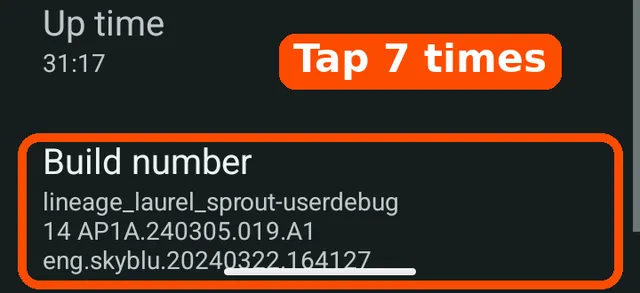
Tap Open About phone in the guide. Tap Build number 7 times. Android says you are a developer. This unlocks a hidden settings page.
Optional setup
Put Strava in a wide window next to the map. Set this up by hand, while parked.
VargGPS never starts a Strava recording or sends your position to Strava. While this window is on, the Varg App button stays off.
Not now or Skip – keep full screen leaves Strava full screen. To open the guide later, hold Strava in the app list. If Developer options are already on, the guide starts at step 2.
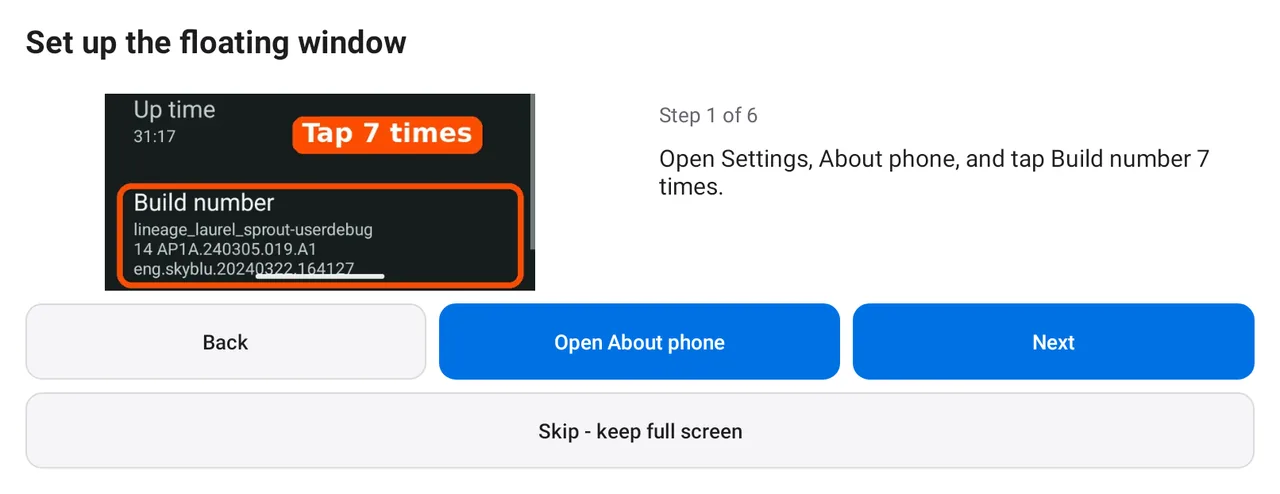
Android may use slightly different menu names. The original settings pictures are shown in full.
Tap Open About phone in the guide. Tap Build number 7 times. Android says you are a developer. This unlocks a hidden settings page.
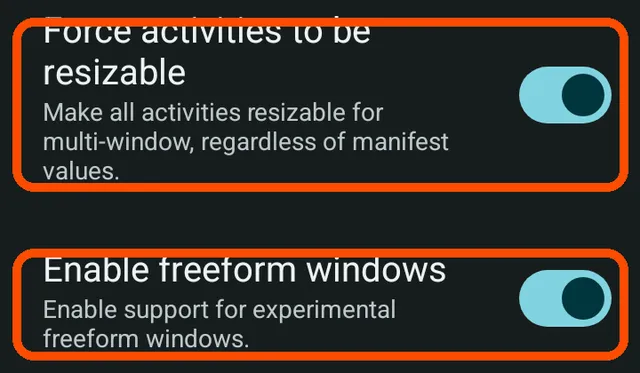
Tap Open Developer options. Turn on Enable freeform windows and Force activities to be resizable. These let Strava use a window you can resize.
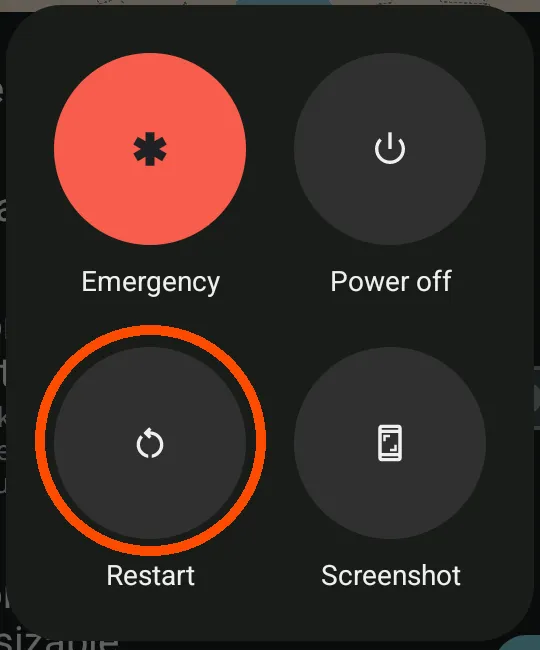
Hold the power button. Tap Restart. The two switches start working after the phone comes back.
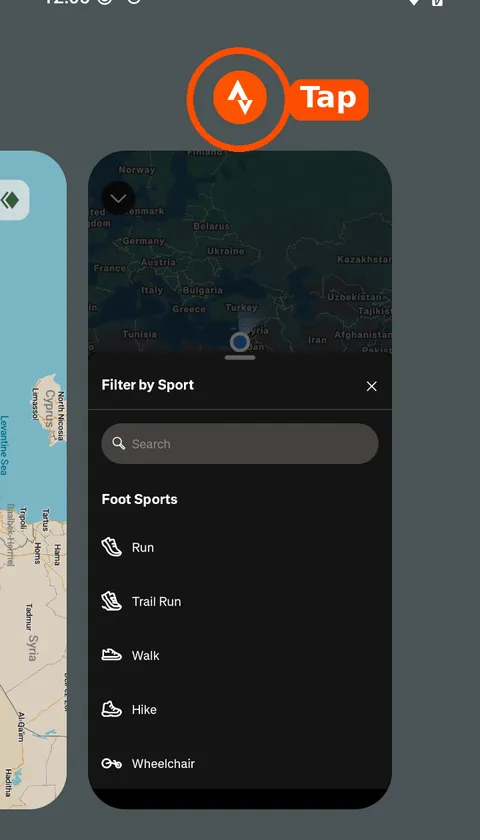
Tap Open Strava now. Open recent apps with the square button, or swipe up and hold. Tap the Strava icon above its card.
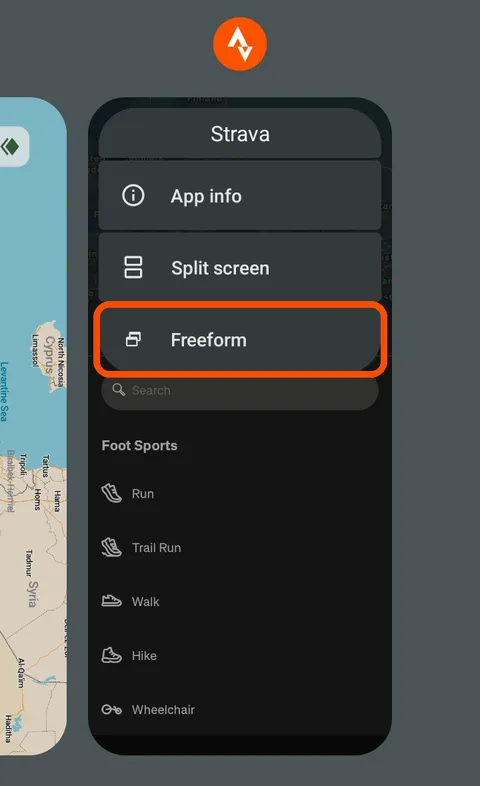
Tap Freeform. That is Android’s name for a window you can move and resize. Strava opens in a small, tall window.
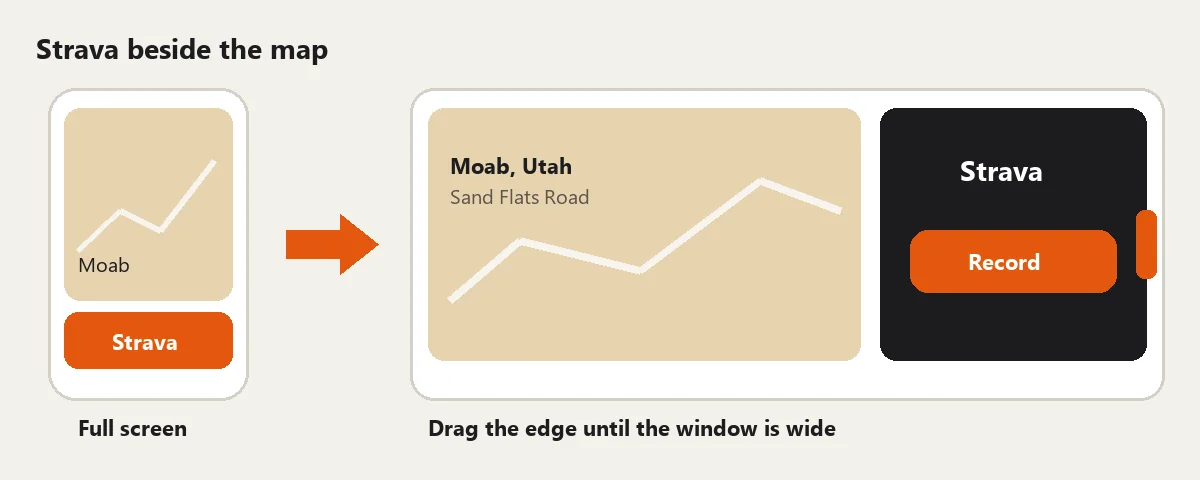
Drag the edge until the window is wider than it is tall. Strava turns sideways and sits beside the map.
On the last page, tap Check again. Ready means both switches are on. Not yet names the switch that is still off. This check cannot tell if you restarted the phone.
Once the window is wide, tapping Strava brings it back at the same size. If you close it with X or swipe it away, choose Freeform again next time.
To undo the Android changes too, turn off Enable freeform windows and Force activities to be resizable. You can turn off Developer options there too. Restart if a window still floats.